
Web端接入Google登录
...大约 2 分钟
Web端接入Google登录
Google Cloud Console
创建项目
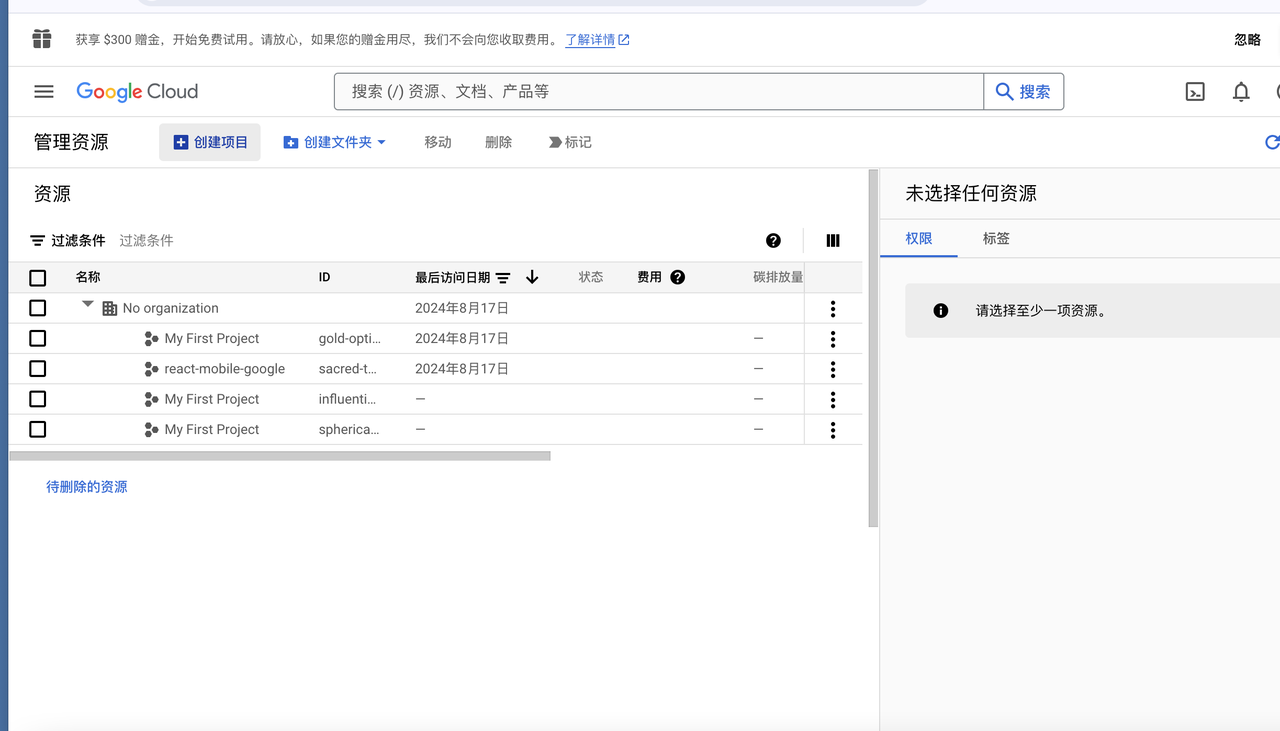
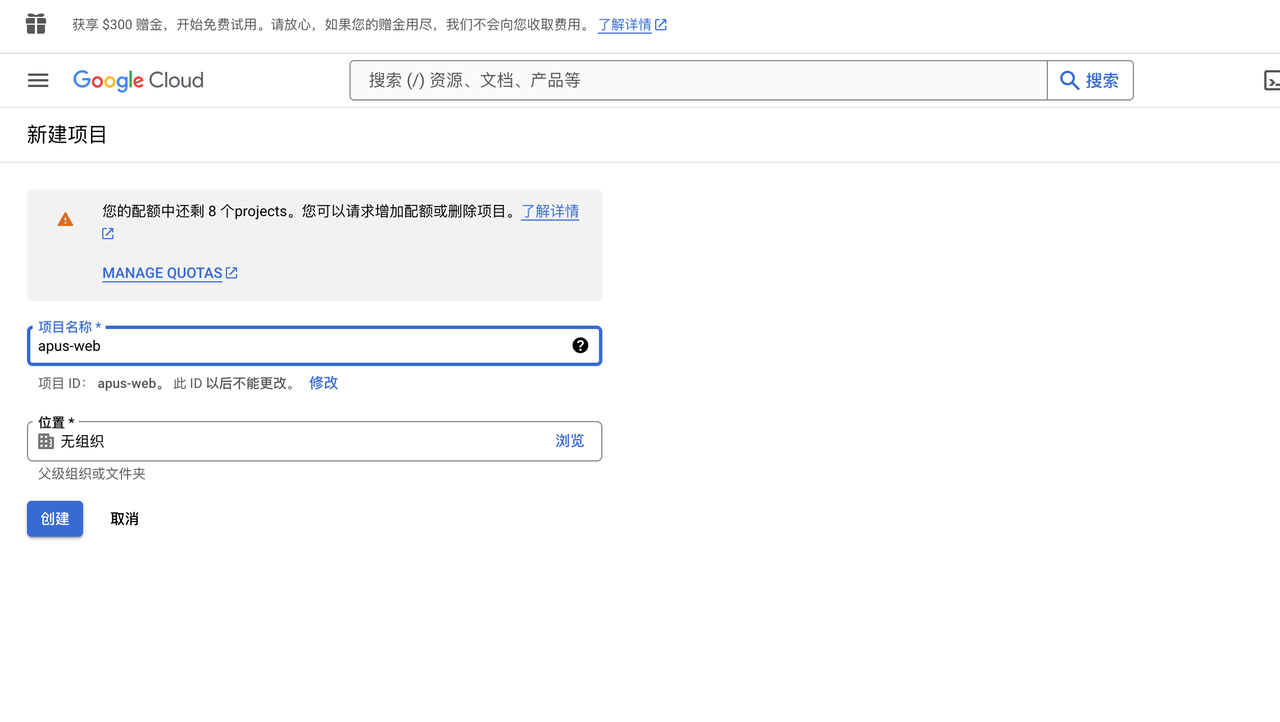
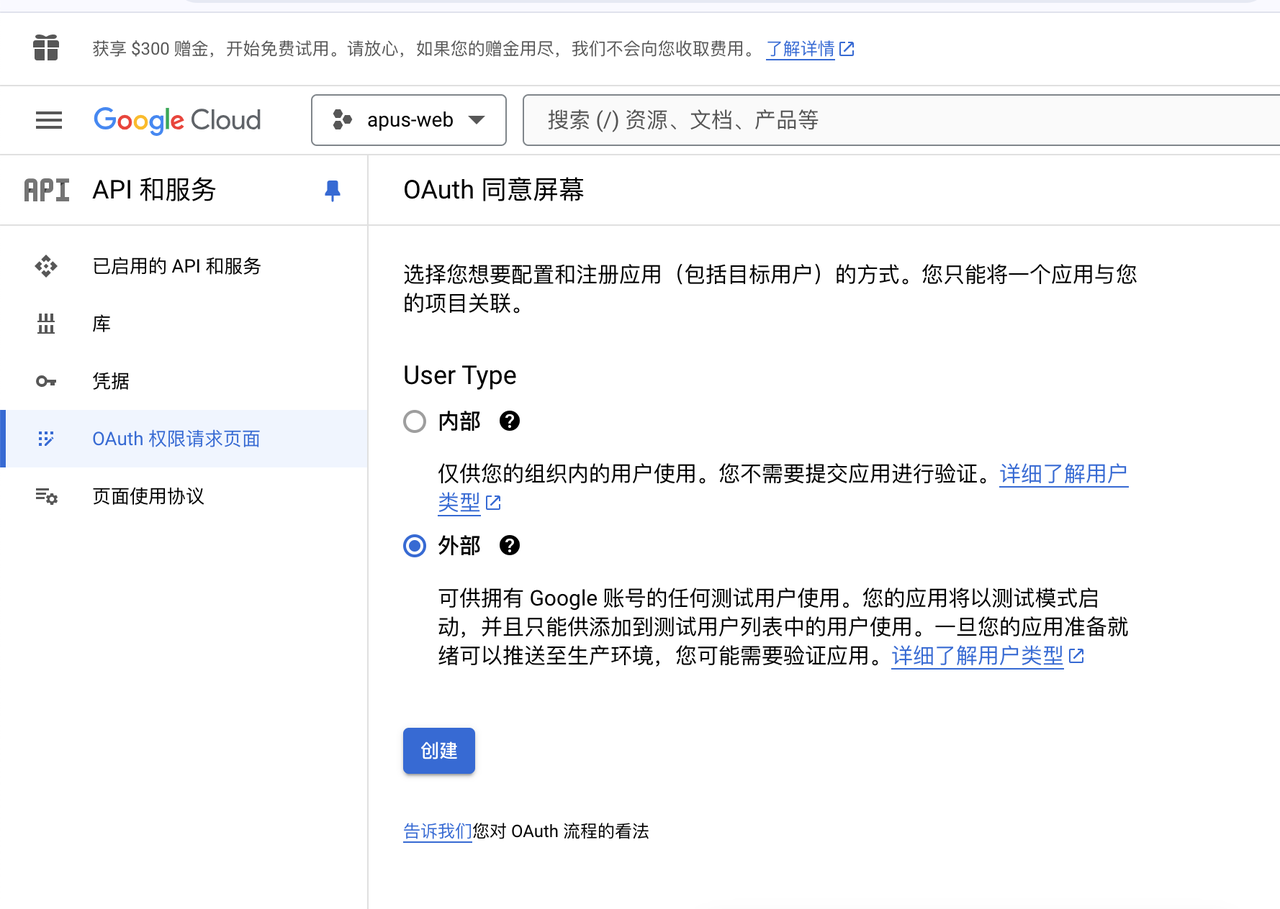
OAuth 权限请求页面
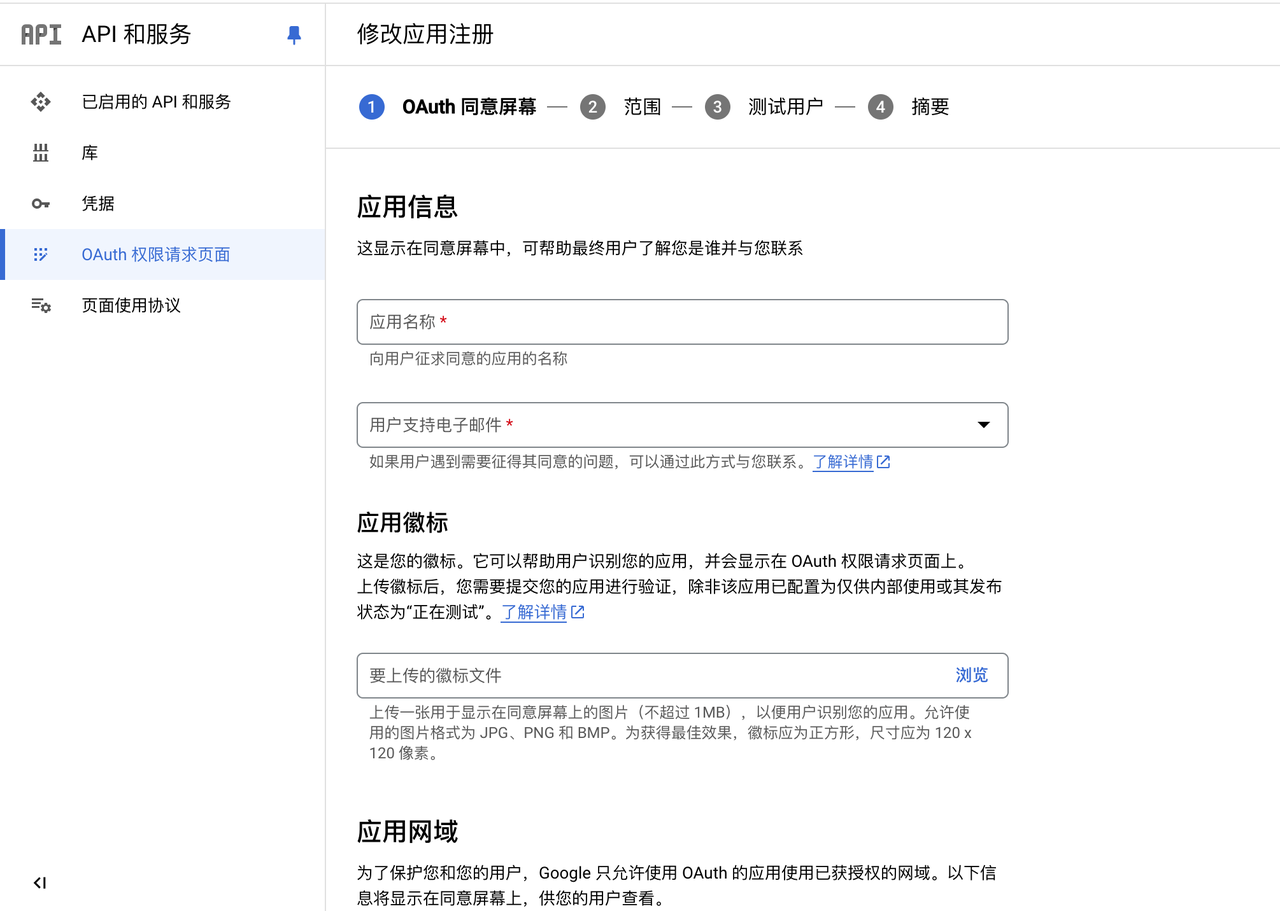
配置应用信息
获取到客户端ID
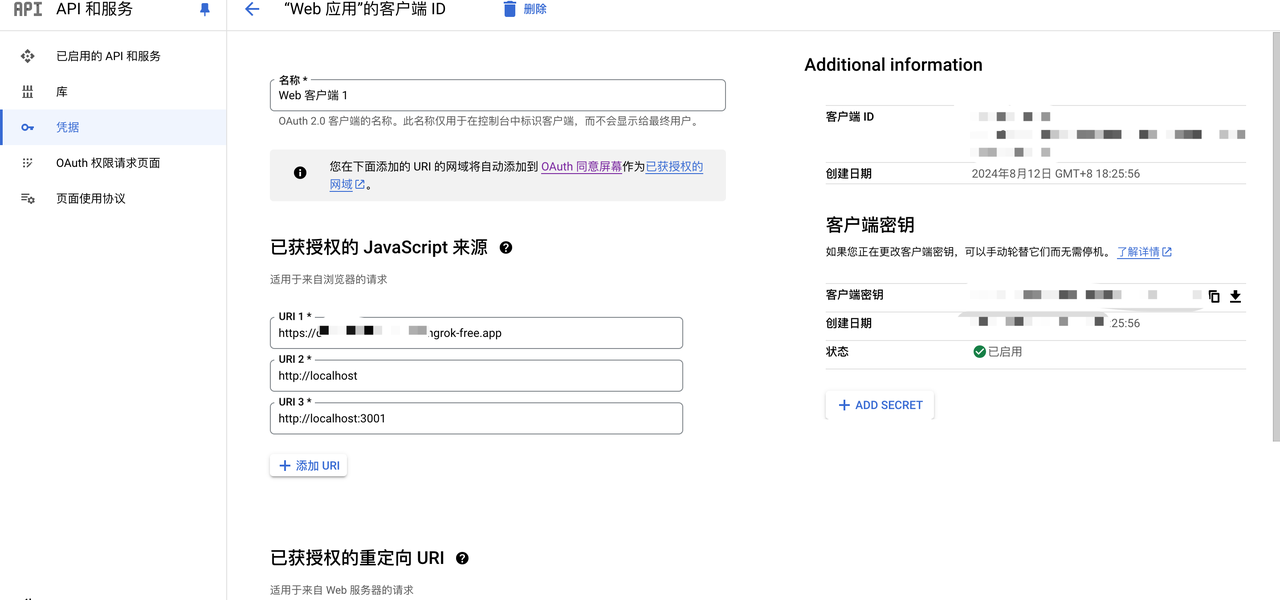
Web端发起Google授权
import React, from 'react'
const Login = () => {
  // 生成一个网址以从 Google 的 OAuth 2.0 端点请求访问权限,网址为 https://accounts.google.com/o/oauth2/v2/auth。可通过 HTTPS 访问此端点; 普通 HTTP 连接会被拒绝。
  const handleGoogleLogin = () => {
    /*
     * 创建表单以请求 Google OAuth 2.0 服务器的访问令牌。
     */
    // Google OAuth 2.0 请求访问令牌的端点
    var oauth2Endpoint = 'https://accounts.google.com/o/oauth2/v2/auth'
    // 创建 <form> 元素以将参数提交到 OAuth 2.0 端点。
    var form = document.createElement('form')
    form.setAttribute('method', 'GET') // 以 GET 请求发送。
    form.setAttribute('action', oauth2Endpoint)
    // 要传递到 OAuth 2.0 端点的参数。
    var params: any = {
      client_id: '', // 您的客户端 ID
      redirect_uri: 'http://localhost:3000/login', // 重定向 URI
      response_type: 'code', // 响应类型为 code
      scope: '', // 请求访问的范围
      include_granted_scopes: 'true', // 包括已授予的范围
      state: 'pass-through value' // 状态值,可在重定向后返回
    }
    // 将表单参数作为隐藏的输入值添加。
    for (var p in params) {
      var input = document.createElement('input')
      input.setAttribute('type', 'hidden')
      input.setAttribute('name', p)
      input.setAttribute('value', params[p])
      form.appendChild(input)
    }
    // 将表单添加到页面并提交以打开 OAuth 2.0 端点。
    document.body.appendChild(form)
    form.submit()
  }
  return (
    <div>
      <h1>Login</h1>
      <button onClick={handleGoogleLogin}>触发google登录授权</button>
    </div>
  )
}
export default Login
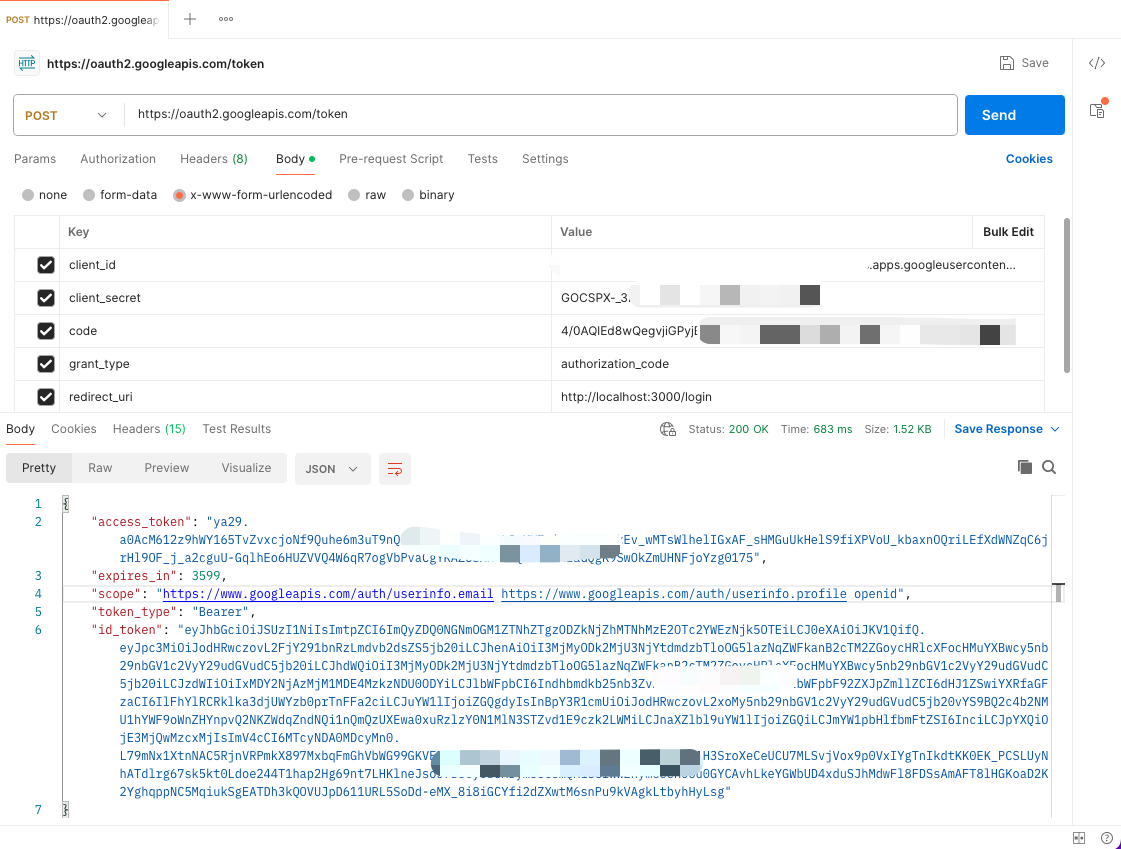
收到授权代码后,就可以交换该授权代码 获取访问令牌
- access_token 用于授权访问 Google API,可以在短期内直接使用。
- expires_in 告诉你当前的访问令牌将在多久后过期。
- scope 告诉你访问令牌允许访问哪些数据。
- token_type 通知你在请求中使用 Bearer 方式传递令牌。
- id_token 可以解码以获取用户身份信息,通常用于应用的登录和用户信息展示。
推荐的方式:使用服务端进行交换
流程概述:
- Web 客户端获取授权码 (code):
- 用户通过 Web 应用中的 Google 登录按钮重定向到 Google 的 OAuth 授权页面,用户同意授权后,Google 会重定向回你的应用,并附带 code。
- 将 code 发送到服务端:
- Web 客户端将 Google 返回的授权码 (code) 发送给你的服务端。
- 服务端交换访问令牌:
- 服务端使用这个 code 以及 client_id 和 client_secret 向 https://oauth2.googleapis.com/token 端点发起请求以获取 access_token 和 refresh_token。
- 访问 Google API:
- 服务端收到 access_token 后,可以调用 Google 的受保护 API。或者你可以将 access_token 发送回客户端,用于前端与 Google API
Powered by Waline v2.15.8